
Early private preview for macOS
AruiQ Orchestrator
One board for your AI agent sessions and your notes.
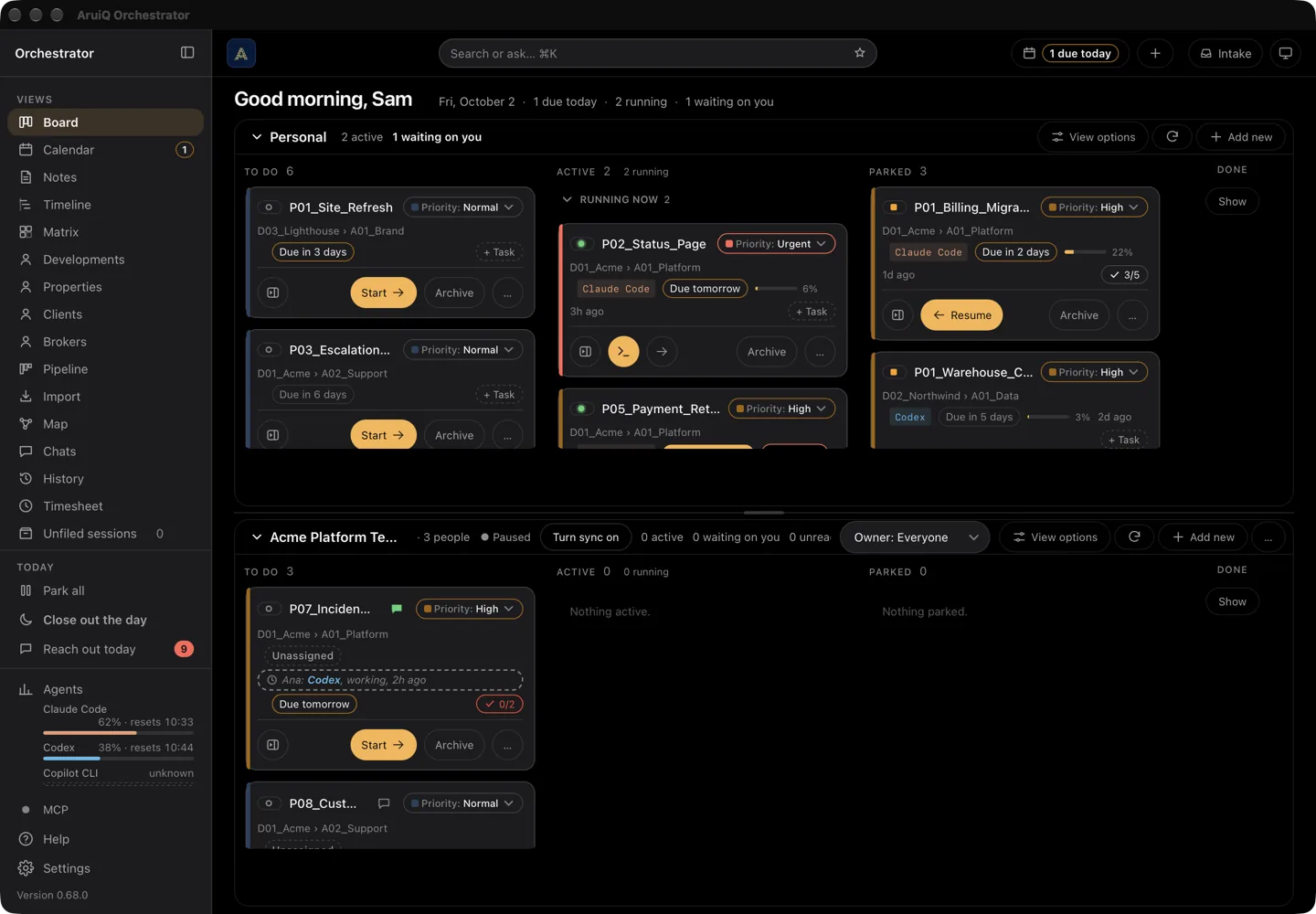
Orchestrator finds the AI agent sessions already on your computer, groups them by the project they belong to, and gives you one place to resume them, park them with a written handoff, and search your notes.
There is no public download. Access is granted by hand.
Your work stays yours. The board only puts it in order.
It starts nothing by itself and sends your work nowhere. It reads what your agents already save on this Mac, lays it out as one card per project, and helps you finish a piece of work properly instead of closing the window on it.
One card per project
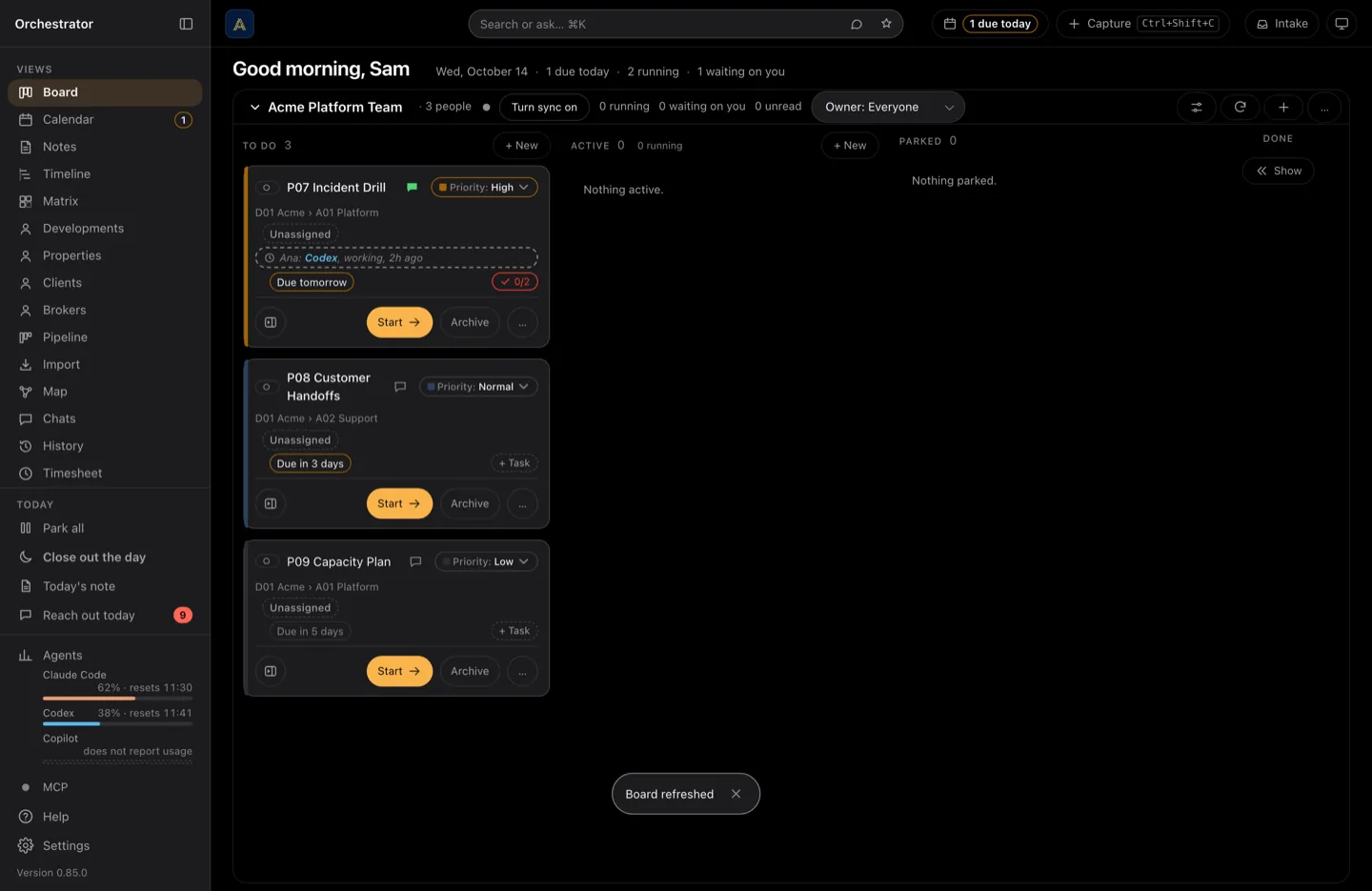
Sessions are grouped by the folder they ran in, whichever agent ran them, in To do, Active, Parked and Done.
Park with a written handoff
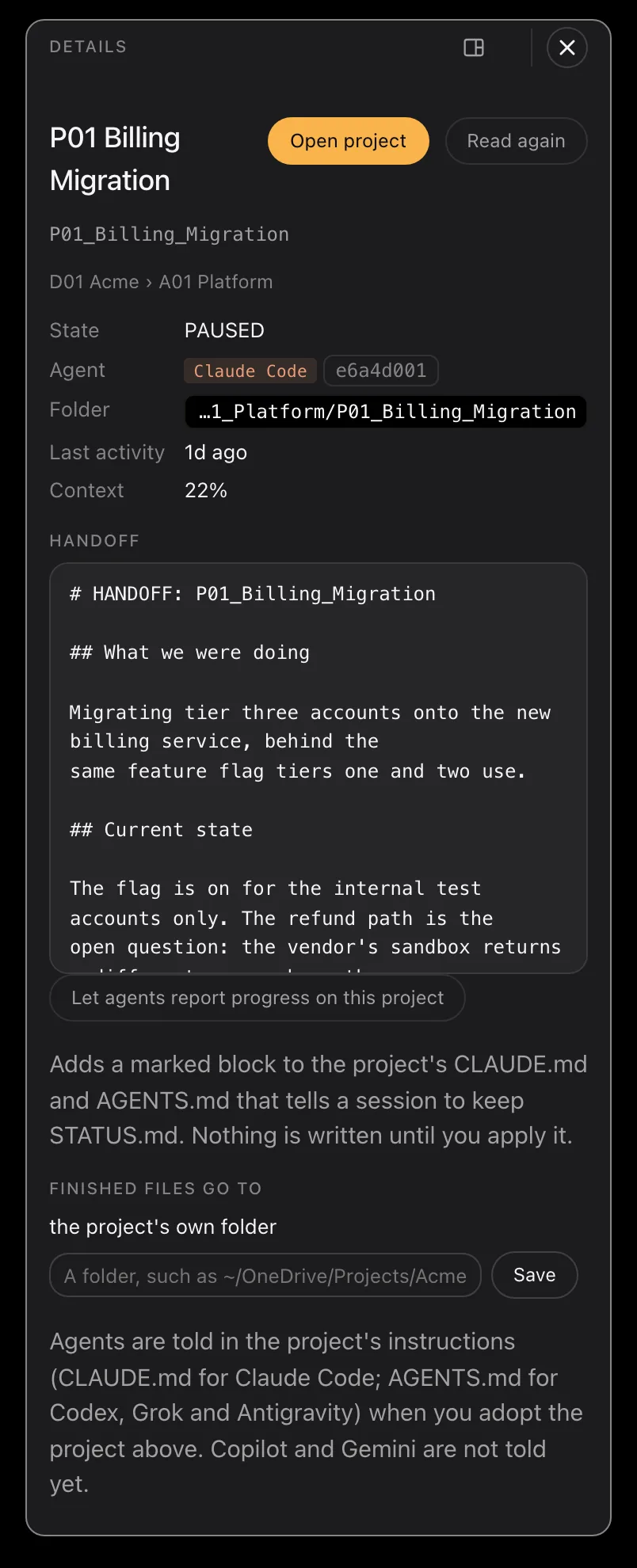
Park asks the agent to write a handoff, checks that it was saved, and only then closes what the board opened. Resume picks the work up from that note.
Sessions you started stay yours
A session you started yourself is never closed by the board. Park saves the handoff and tells you the session is still running, and where.
Current truth, not a snapshot
Every time you look, it checks what is actually running and what each agent has saved, so what you see is how things are right now.
Say what should change
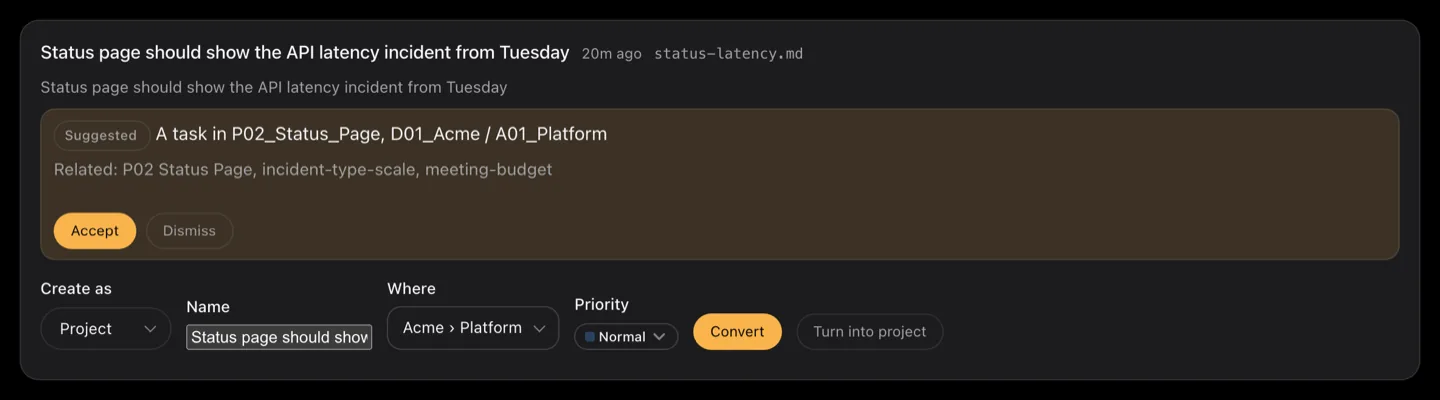
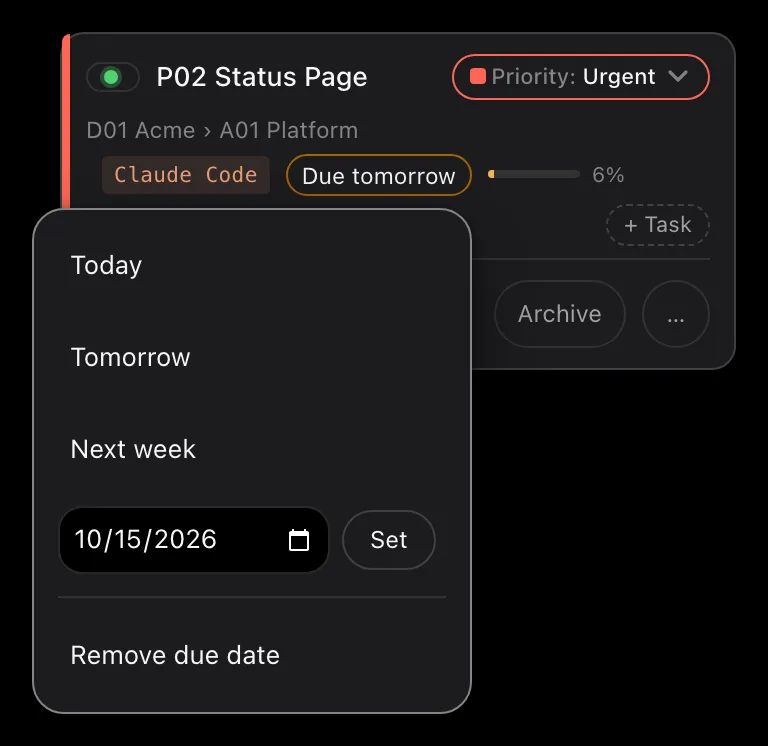
Ask in your own words and the assistant writes a plan: what it would create, change or send to the Recycle Bin. You read it, untick what you do not want, then run it. One click undoes the lot.
Your own hours
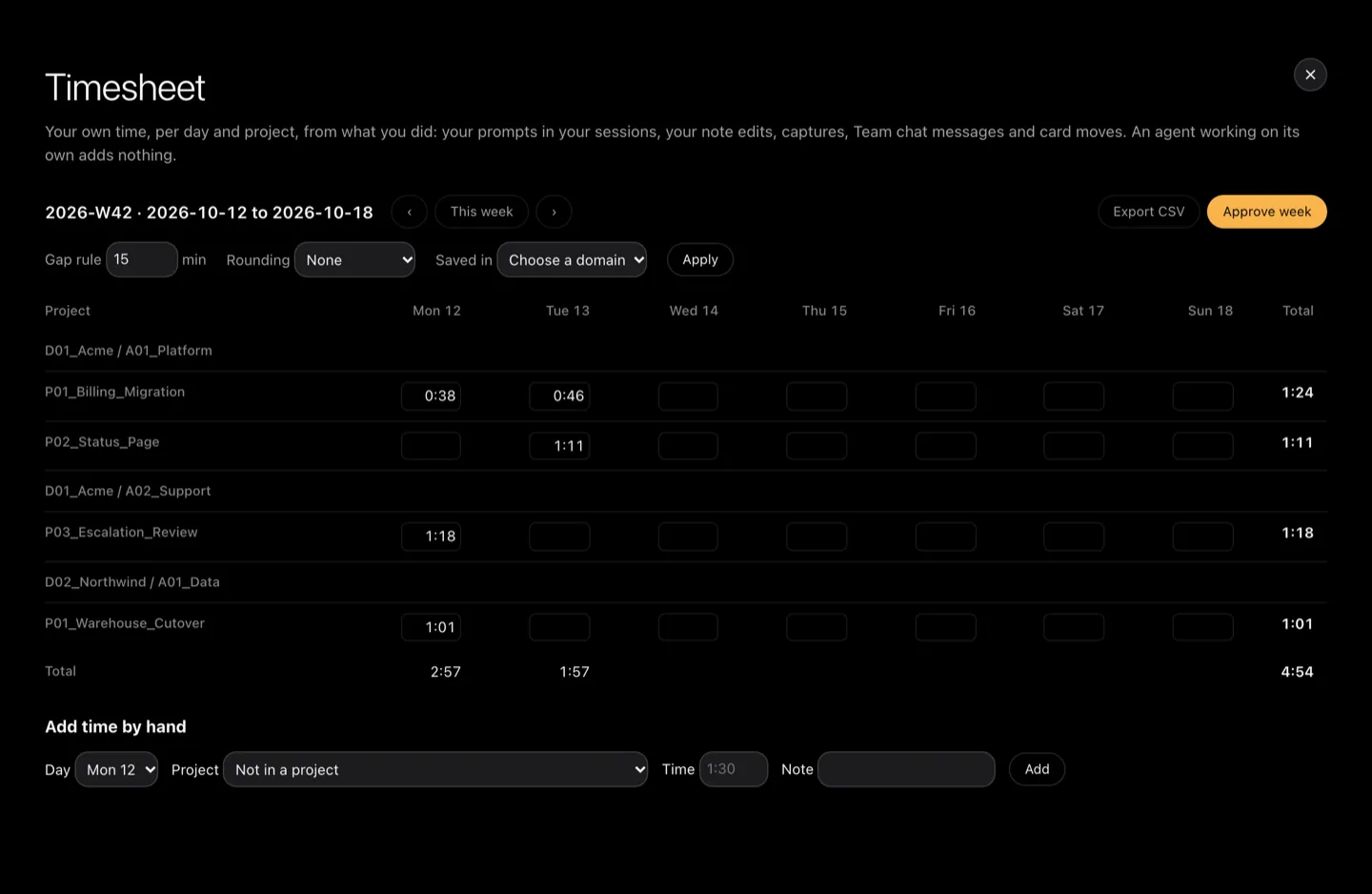
A timesheet fills itself in from what you did: your prompts, your notes, your captures, your messages to the team, the cards you moved. An agent working on its own adds nothing. Per day and per project, and you can take it away as a file.
Set up in minutes
A few plain questions, a plan you read, and a board that already has your work in it.
It asks where your notes live, how you divide your work, and what you are working on right now. Then it shows you the whole thing it would create, for you to change before anything is written.
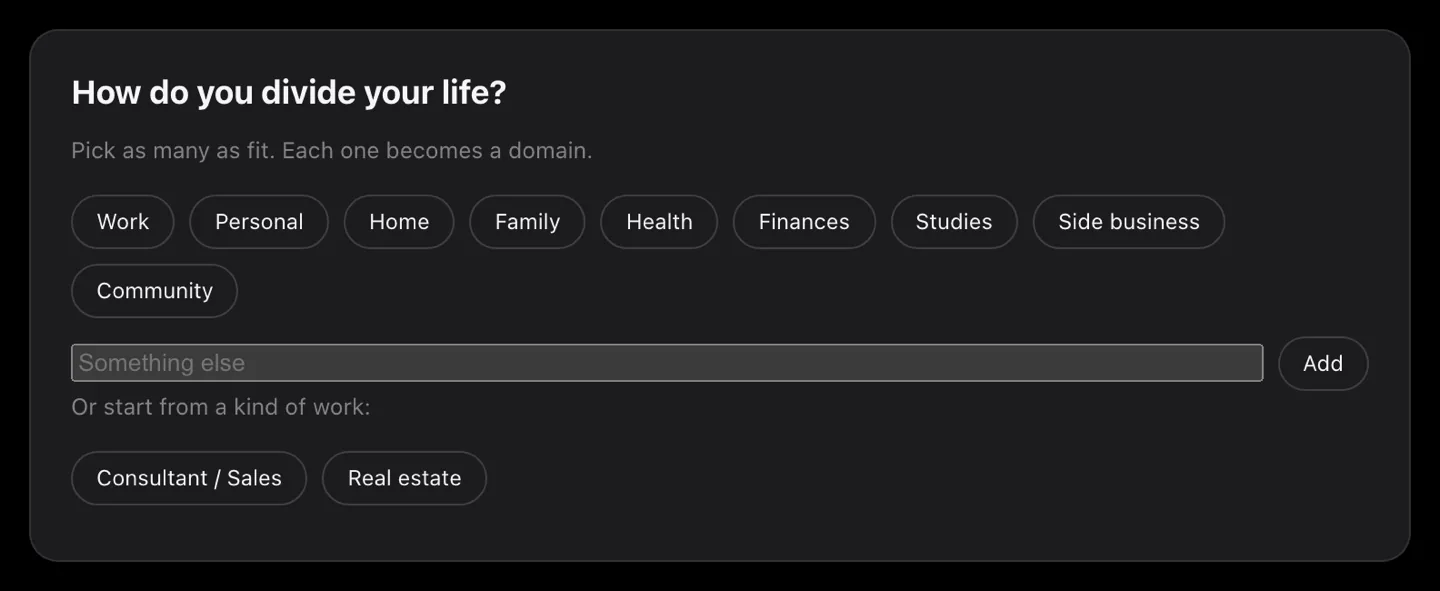
- It starts from how you divide your life: work, personal, home, family, health, finances, studies, a side business, your community. Add your own if none of those fit. Each one becomes a domain.
- Or start from a kind of work, if one matches: consultant or sales, or property. Then it asks what you are working on right now, in ordinary sentences, and turns those into projects.
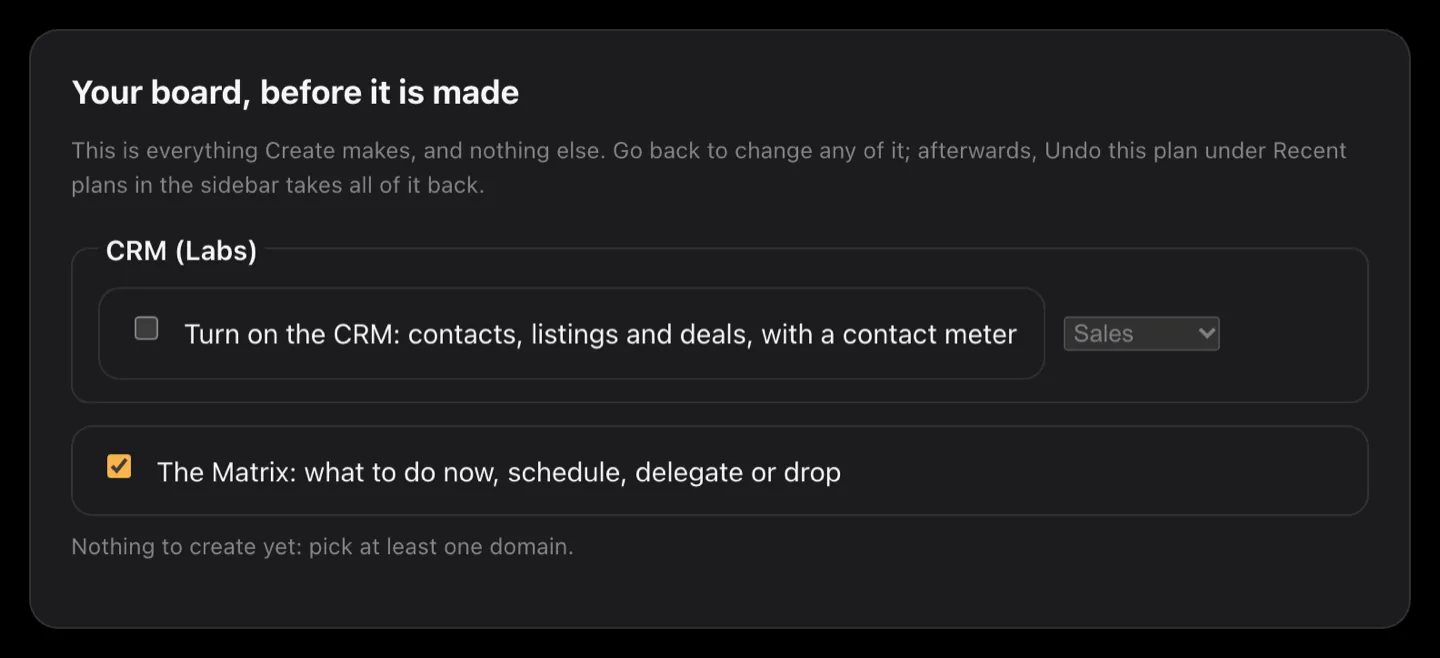
- Nothing is created until you say so, and everything it makes is a folder and a file you can open yourself.
CRM Labs
Your own place for clients and deals, beside whatever your company already uses.
A contact list and a light pipeline that live in the same folders as the rest of your work, in plain files on your Mac. It is not a replacement for the system your client makes you use; it is the one that is yours.
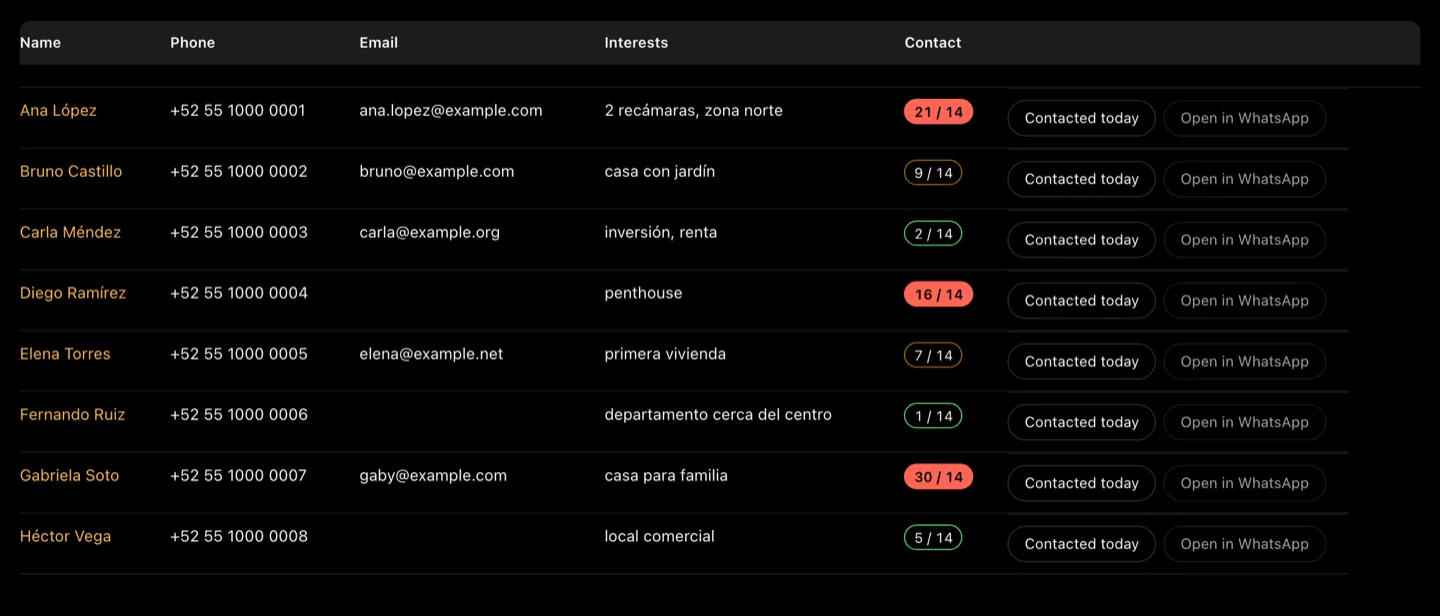
- The contact meter says who you have not spoken to in a while: green while it is fresh, yellow when it is slipping, red when you have let it go, and set aside when you have chosen to leave it for now.
- Bring a spreadsheet in and see exactly what it would create before it creates it.
- A deal moves through six stages by default, from lead to won or lost, because a pipeline you do not keep up to date is worse than none. Rename them or add your own; won and lost stay at the end.
- A template for property work: developments, properties, clients, brokers and deals, each in its own folder.
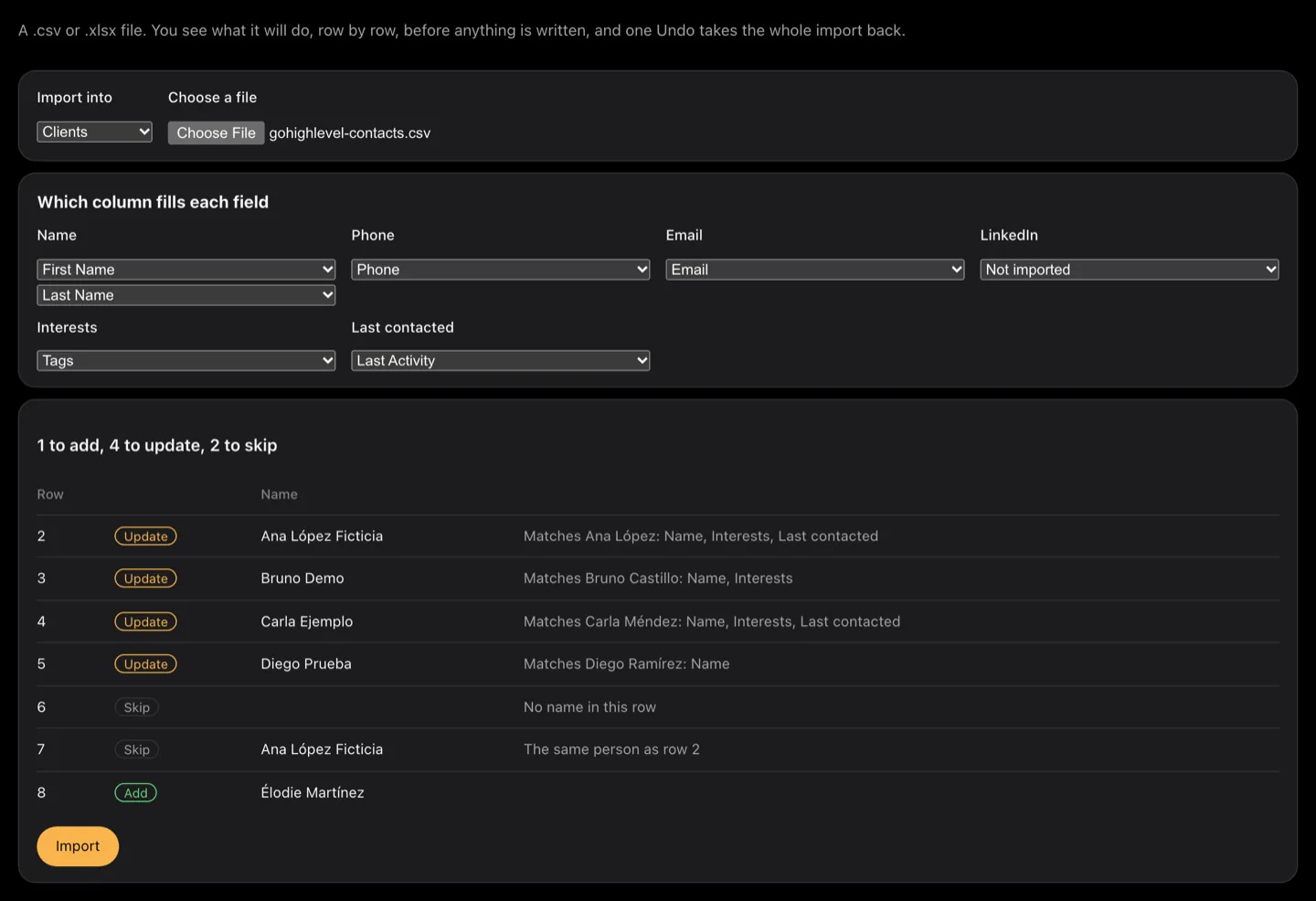
There are no integrations with chat, email or calling, by design. A phone number becomes a link WhatsApp opens, an address opens your mail app, and nothing is sent on your behalf.
Labs means it is being built in the open: it may change shape, and it is off unless you turn it on.
Turn on what you need
The board is always there. The rest is yours to switch on and off.
Board
Your projects, your notes and your sessions. Always on.
CRM
Clients, contacts and deals, in the same folders. Optional, and in Labs.
Timesheet
Your own hours, counted from what you did. Optional.
Change your mind whenever you like: turning one off leaves everything it wrote exactly where it is.
Tell it what should change
Say what you want in your own words. You get a plan to read, not a change to discover.
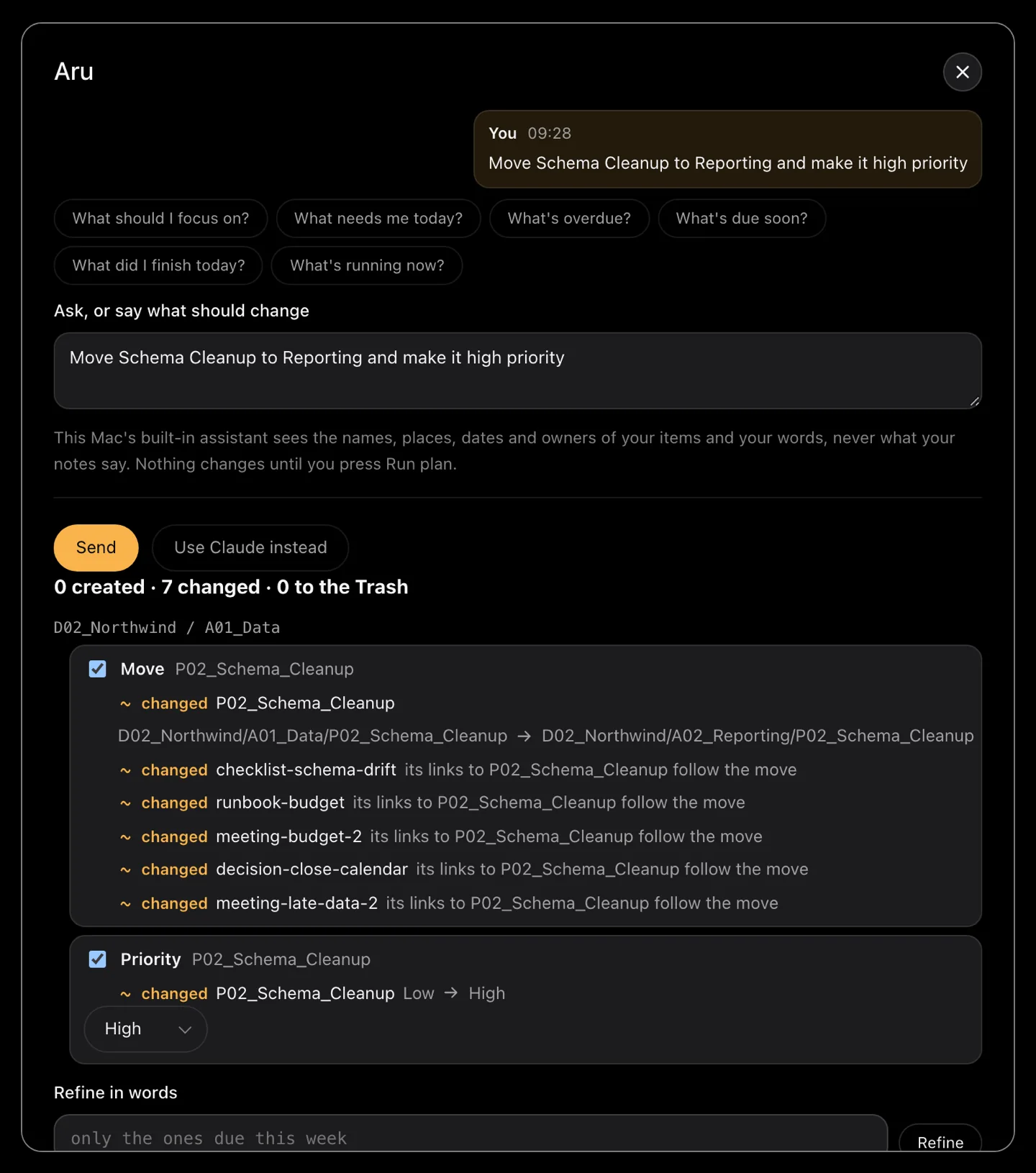
Ask for a project to move to another area, to be shared with your team or made personal, to go up or down a level, to be archived or brought back, to take a due date, a priority or an owner. Ask it to rename a project, an area or a task, to start a session, to capture a line, or to make something new. It answers with a plan, and the plan is the point: nothing happens until you run it.
- Every line of the plan says what it would do: created, changed with the value now and after, or sent to the Recycle Bin. Untick the lines you do not want, or say what to change in words, and the plan follows.
- It asks rather than guesses. Two things that fit your words, a place that holds several, a date you did not write, a delete you did not ask for: each comes back as a question.
- Deleting goes to the Recycle Bin and asks twice, as does anything belonging to a teammate or any plan over ten changes. One click undoes a whole plan and puts every file back as it was.
- It runs on Apple's on-device model: free, private, and it needs no network. Hand a bigger request to one of your agents instead and the cost is shown before anything is sent.
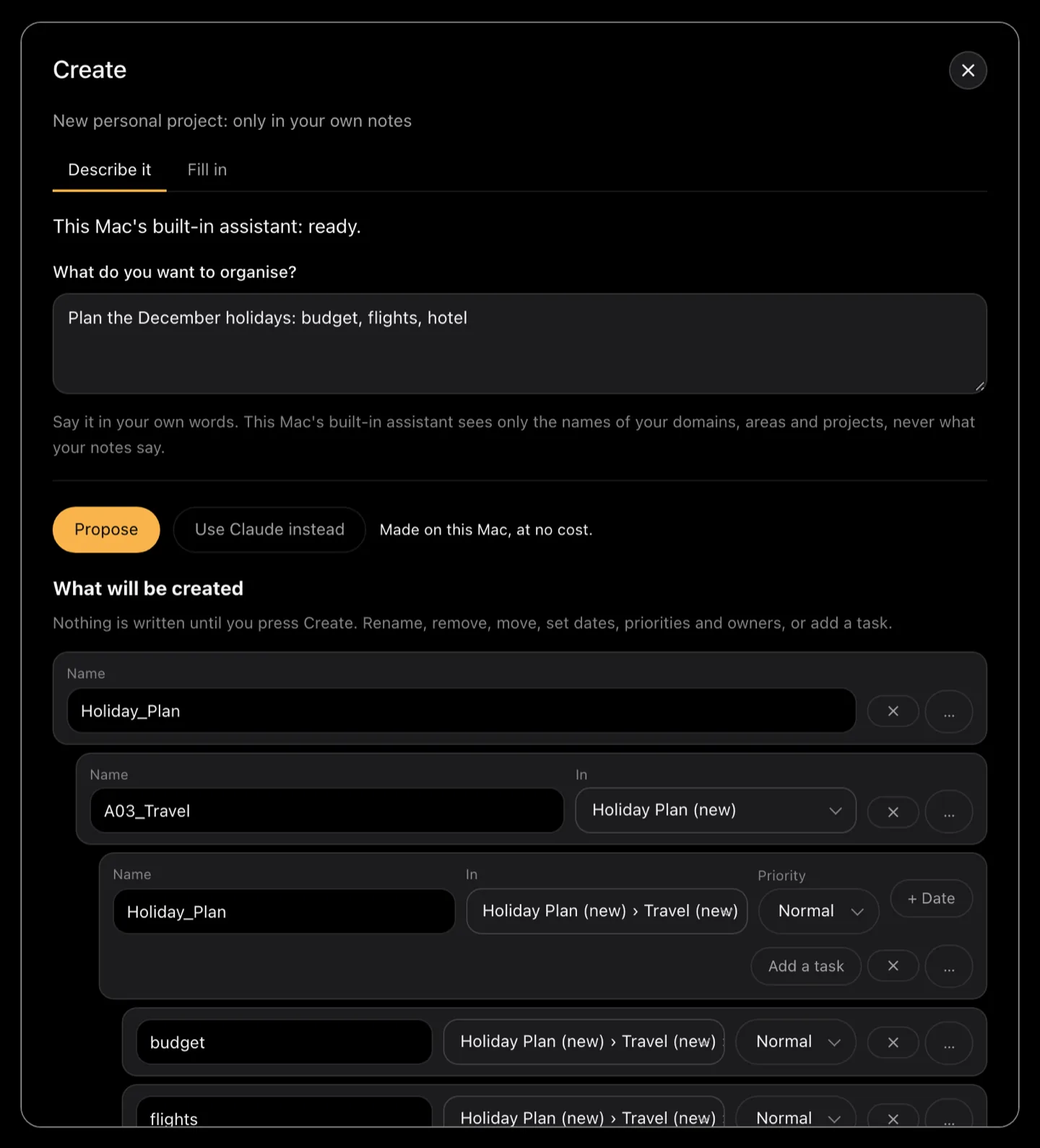
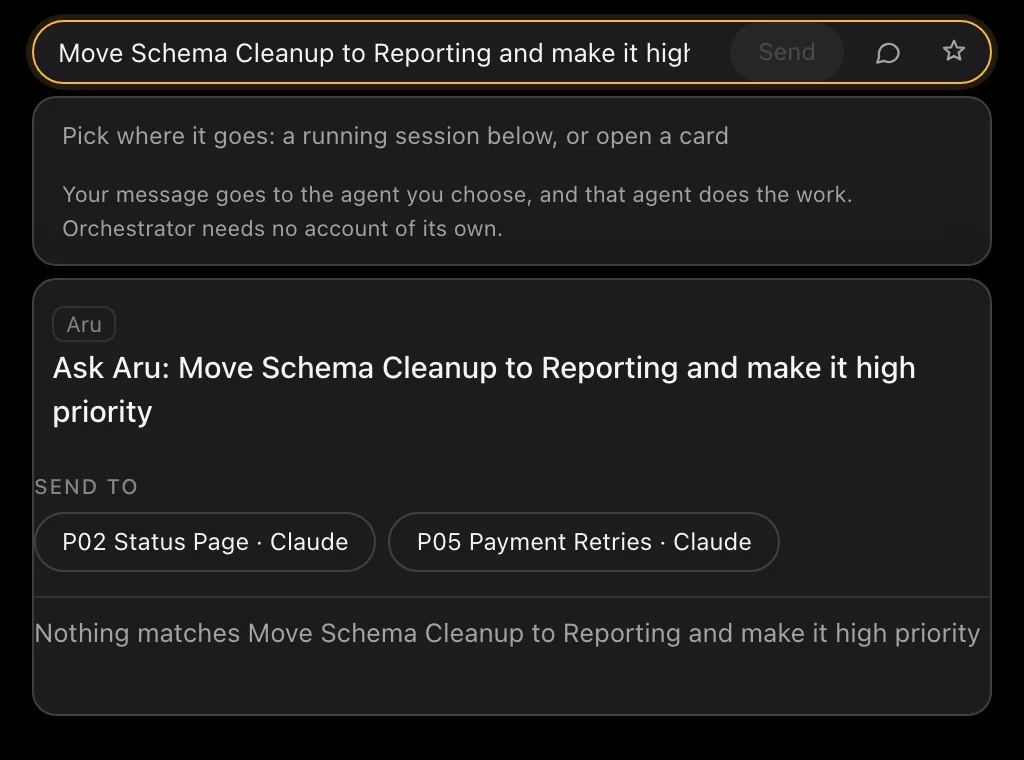
It needs a Mac with Apple silicon, macOS 27 and Apple Intelligence turned on for the free on-device mode. It proposes and you approve; a plan runs when you press Run plan and not before.
Your team, one project
A team board beside your own, in a git repository your team already controls.
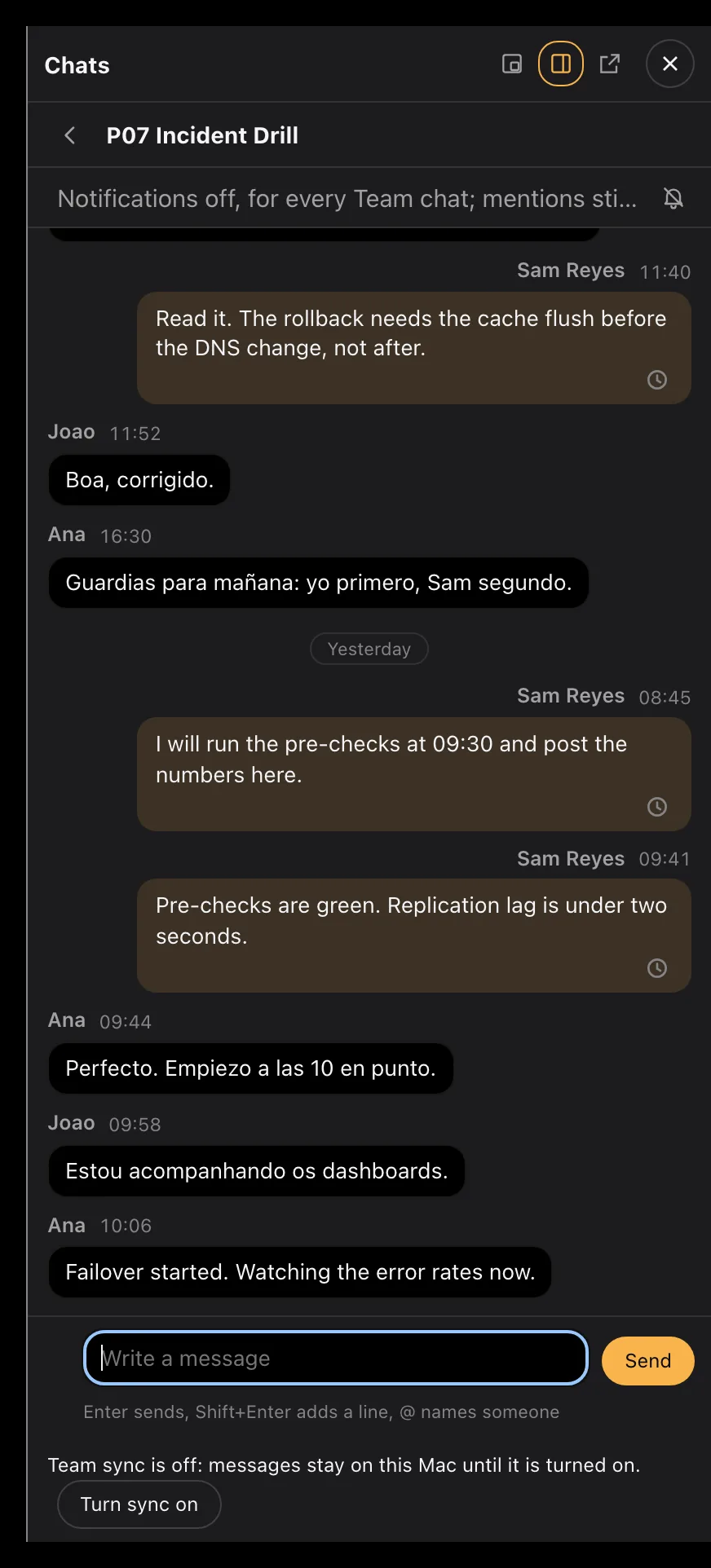
Connect a shared notes tree and a second board appears next to your personal one. The work stays where it is; what moves is the project's notes, its handoffs and its chat. There is no AruiQ server in the middle: your team exchanges through its own git repository and nothing else.
- A chat for each project, beside the work rather than in another app.
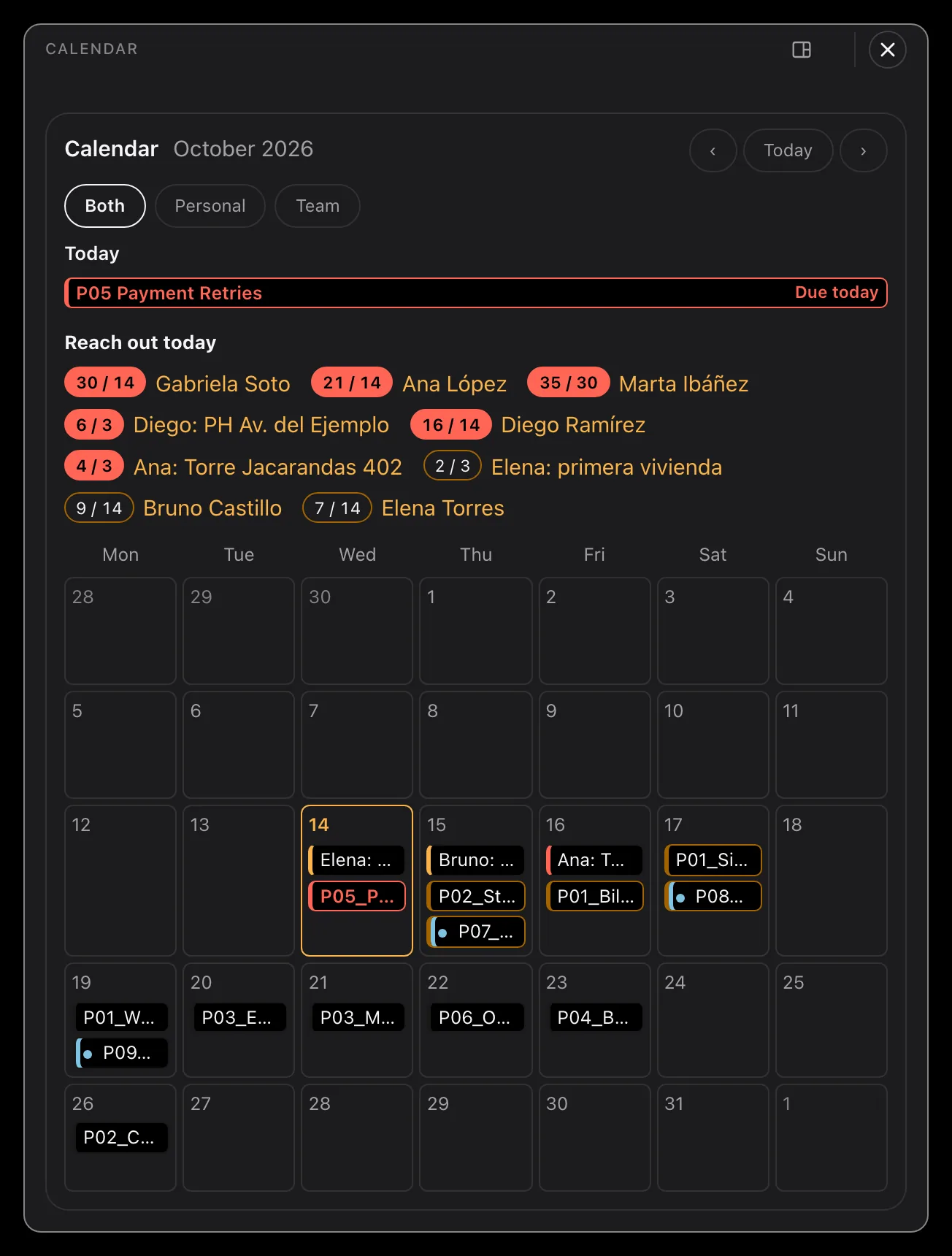
- One calendar for both boards, so a team date and your own sit together.
- Who is working on what, with which agent, and when they last touched it.
What it does not do
- It is not live co-editing. Several people writing the same note at the same moment is not what this is for.
- Changes arrive about once a minute, not instantly, and only while you have sync turned on.
- It needs a git repository your team already controls. AruiQ does not host one for you.
Nothing leaves unless you choose it: Privacy
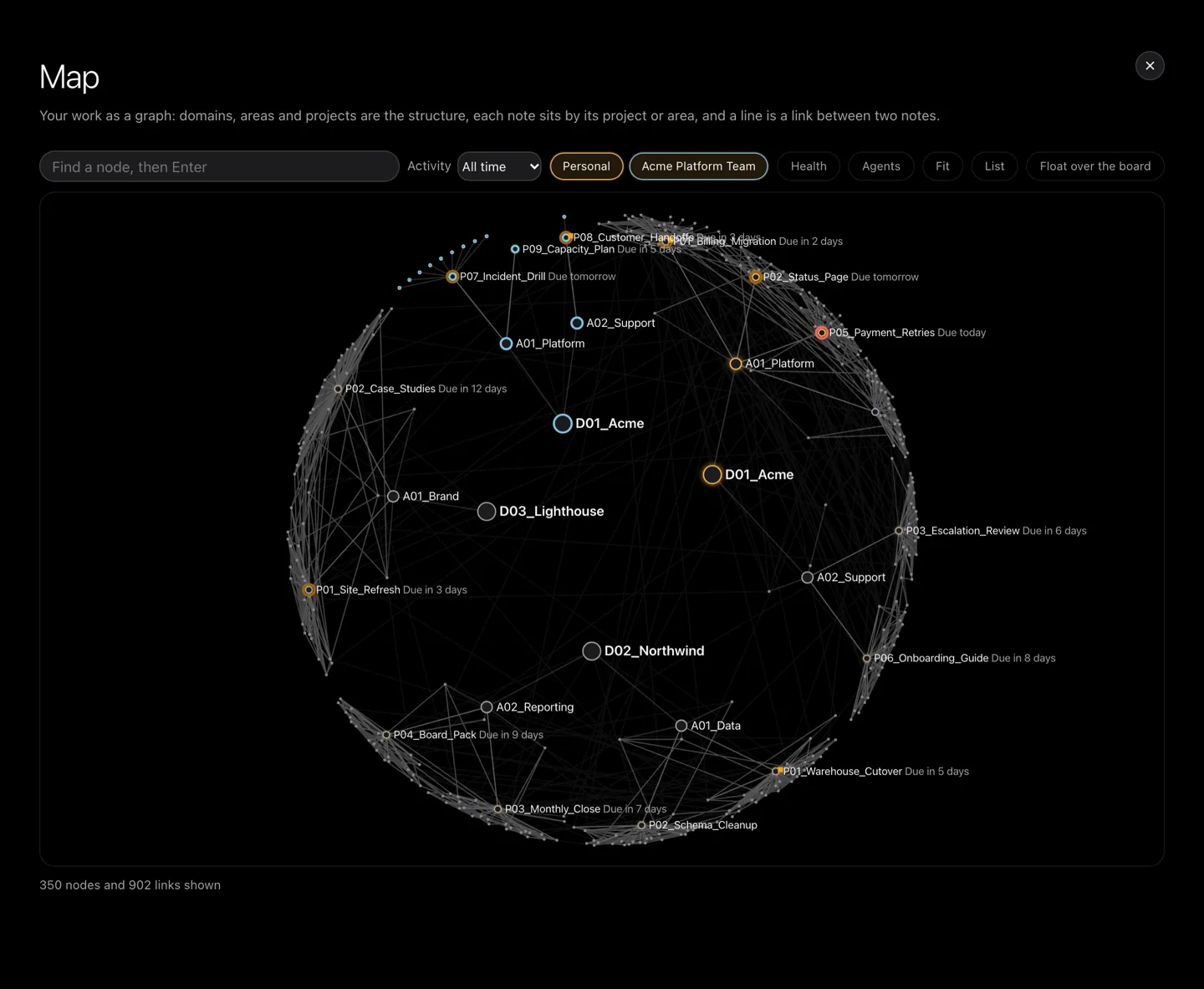
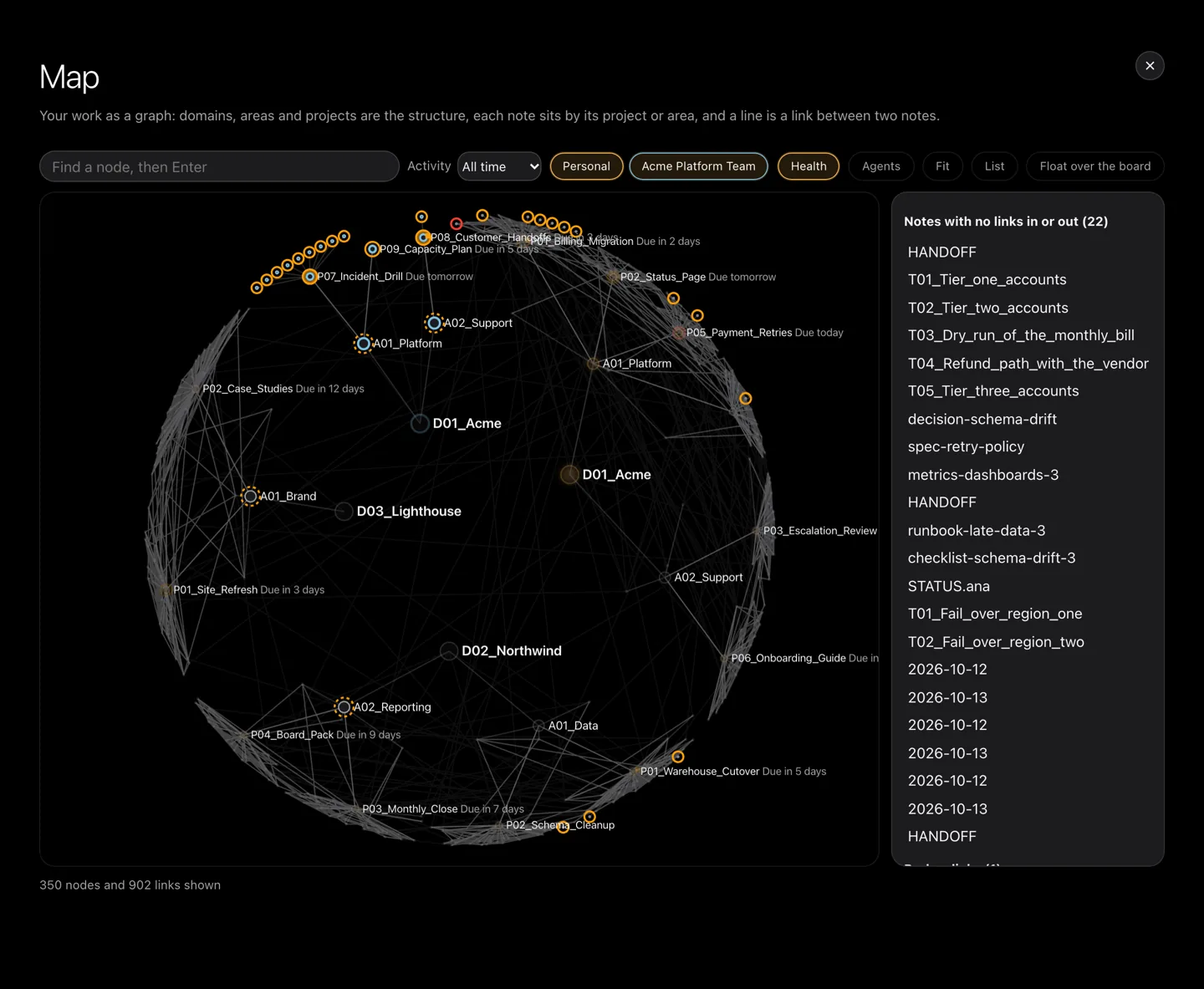
A map of your work, not just your notes
The same folders, drawn as a graph, so you can see the shape of what you have.
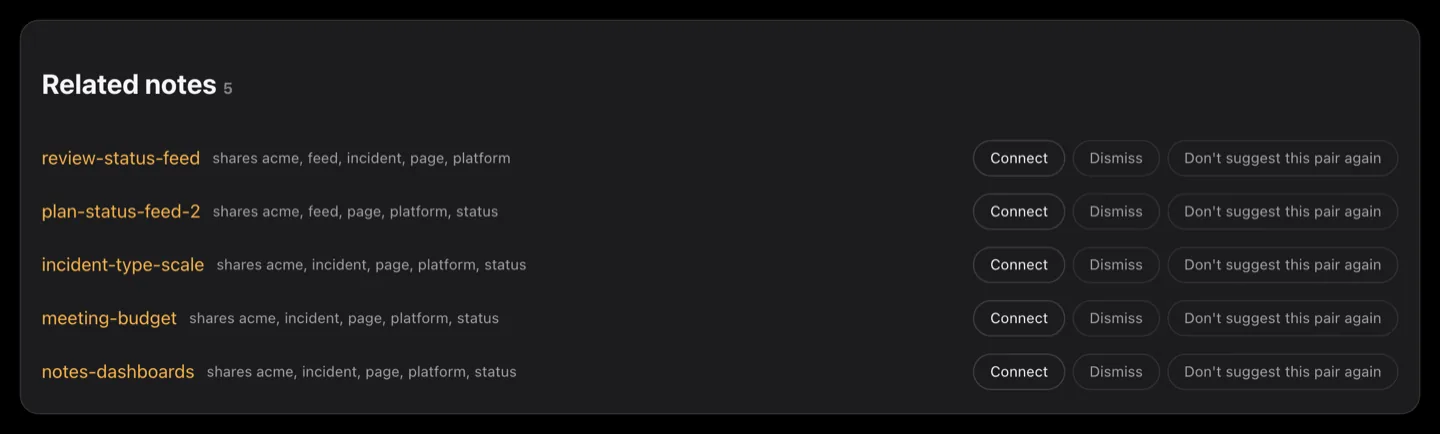
Domains, areas and projects are the structure; each note sits by the project or area it belongs to, and a line is a link between two notes. It reads the same files the board does, so nothing new is stored and nothing is sent anywhere.
- What is active, and what went quiet months ago.
- What an agent touched, and which one.
- What is broken or orphaned: notes with no links, links that point nowhere, areas with nothing active.
Aru, your right hand, thinking on your Mac
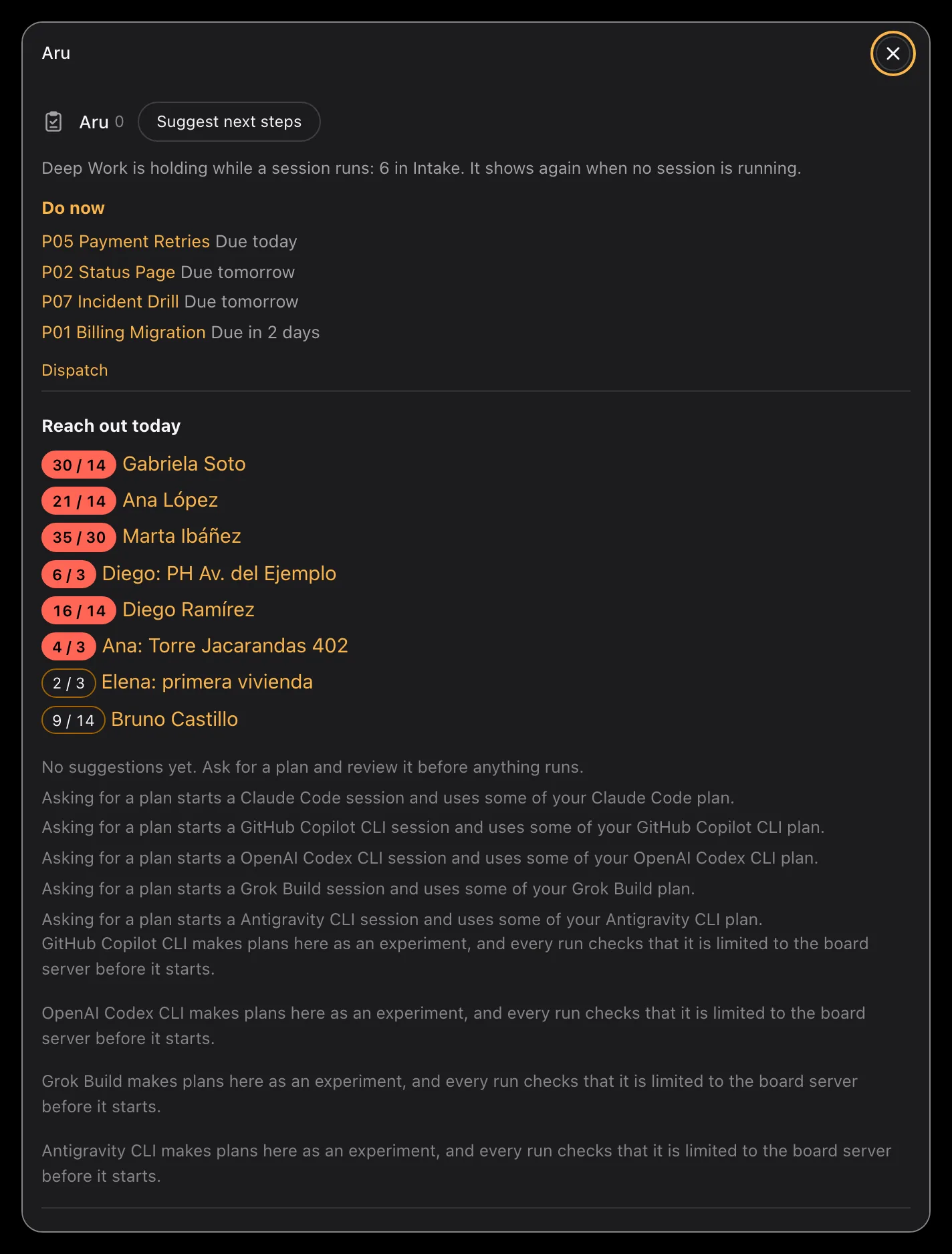
Ask what to do next and this Mac's own model answers, for nothing.
Apple's on-device model reads the board and proposes the next move for each card that needs one. It asks one small question per card, offering only the moves that card allows, and whatever it is unsure of comes back as a question for you. Every plan says who planned it and what it cost: zero on this Mac.
- It costs nothing and asks nothing of the network, so it still works on a plane.
- It proposes, you approve. Nothing runs until you say so.
- It needs a Mac with Apple silicon, macOS 27 and Apple Intelligence turned on. Where it cannot run, the board says so in one sentence and offers an agent instead.
Aru is the one that notices: it reads the board and suggests what to do next. When you already know what you want changed, that is the assistant.
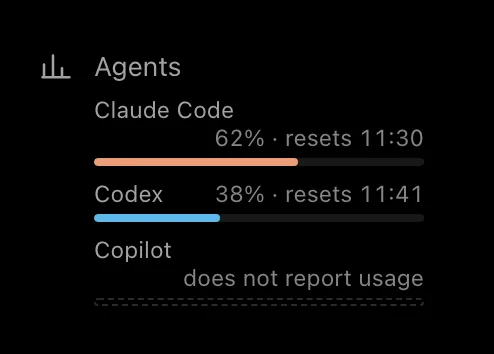
Every agent, the same rules
- Every agent gets the same card, the same Resume and Park, and the same handoff file.
- Switch agent parks a session that is reaching its limit and opens another agent on the same project, starting from the handoff.
- Down the side, each agent shows how much of its current limit it has used, so a limit is something you see coming rather than something you run into. An agent that does not report its usage says so, rather than showing you a guess.
It does not replace your notes app
Orchestrator does not replace Obsidian, or whatever you write your notes in, and it does not move your notes. Same files, same folders, same editor.
It reads and writes the same files, and has no format or database of its own. Running both at once is the normal case.
Your notes app
Where you write: daily notes, documents, analysis.
The board
Shows what your notes app cannot: which agent sessions exist, in which project, whether each one is running or parked, and how to pick one up again.
The note editor and search on the board are a convenience for when you are already there, not a replacement for your editor.
The Strata method comes inside Orchestrator, with nothing extra to install. Not using it? Orchestrator can also treat each of your existing project folders as a project.
Early private preview
Orchestrator is an early private preview, for macOS only. There is no public download. Access goes by hand, and the preview exists to find what still breaks.
To ask for it, send your name, your Mac, and what you would use it for. A person reads every request. Replies can take a while, and not every request gets access straight away.
If the button does not open your mail app, write to contact@aruiq.com.